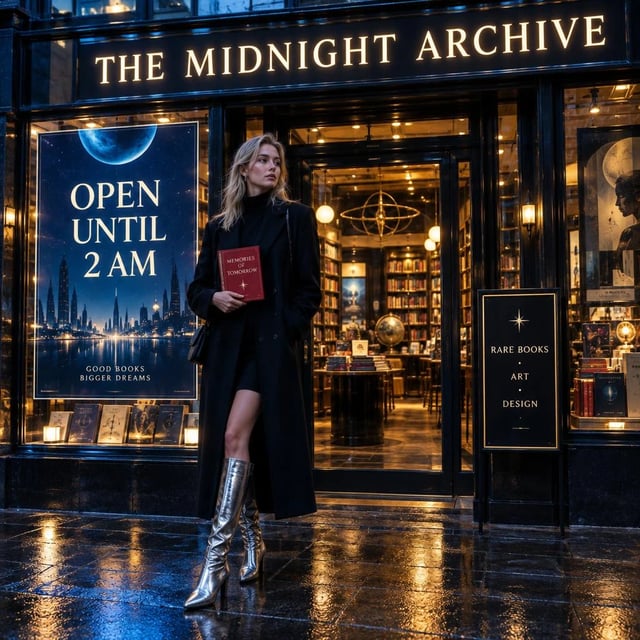
Campaign subjects with a planned restyle
Upload a person or product, then develop wardrobe, backdrop, or mood variants while keeping the brief centered on the same subject.
Use a prompt or upload a photo when the next job is a deliberate edit of the same subject. Sunburst is the editing-oriented GPT Images 2.5 model, selected below.
Production preview
GPT Images 2.5 Sunburst supports text-to-image generation and image-to-image editing. The photo workflow is useful when you already have a person, product, or scene and want to direct the next change. OpenAI positions Sunburst as the most capable 2.5 model when editing precision matters, making it a fit for campaign work, polished product imagery, and stills that will be revised across passes.
Begin with a first still or upload a photo. Name one change at a time—wardrobe, backdrop, crop, lighting, or atmosphere—then inspect what changed and what still needs attention. Sunburst takes longer than Flare; if you are still deciding on a composition or need a quick first mock, start with GPT Images 2.5 Flare and switch when the subject is worth carrying into another pass.
Two Sunburst image-to-image examples show how to brief one clear change while keeping the source context in view.
Change the portrait's clothing while keeping the central subject in view—a useful pattern when the look is the variable.
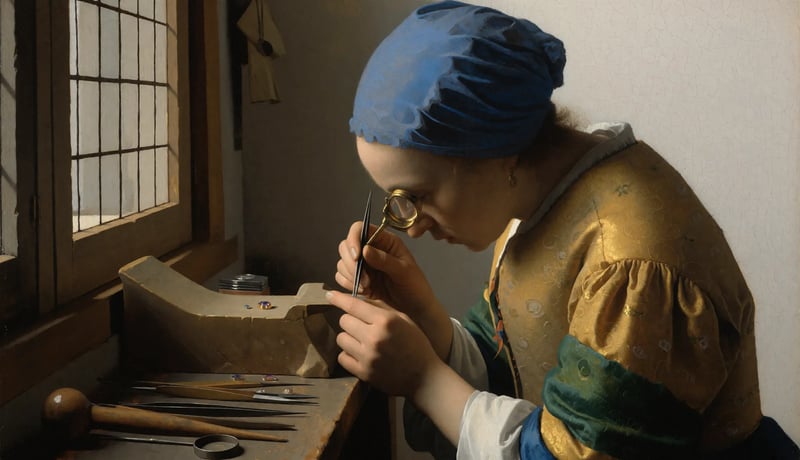
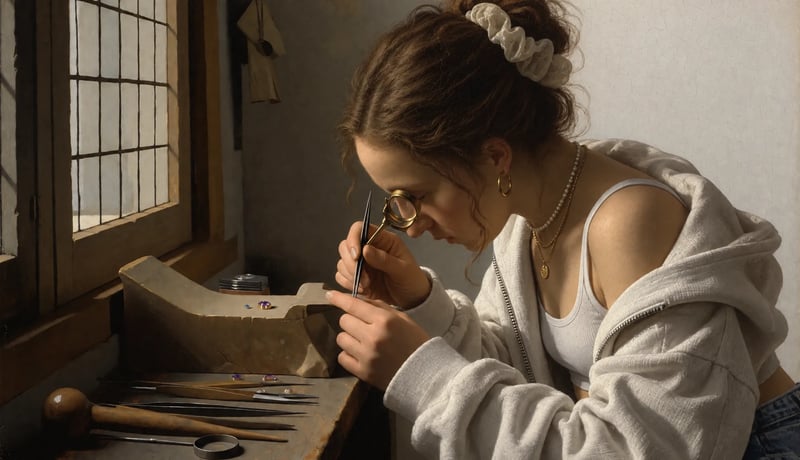
Change what the workers are doing while naming the recognizable setting and objects you want the edit to carry forward.
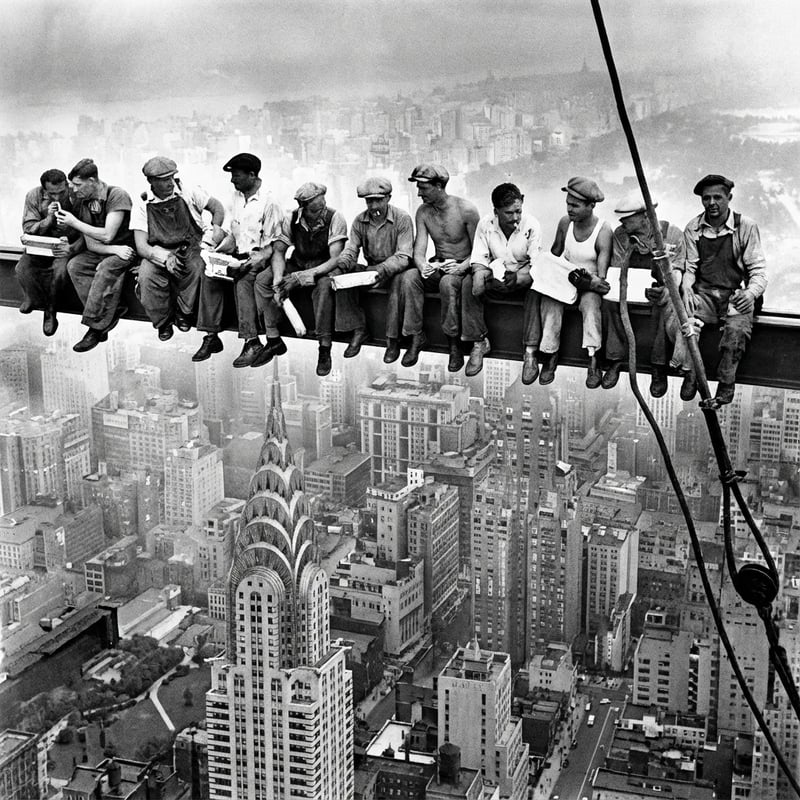
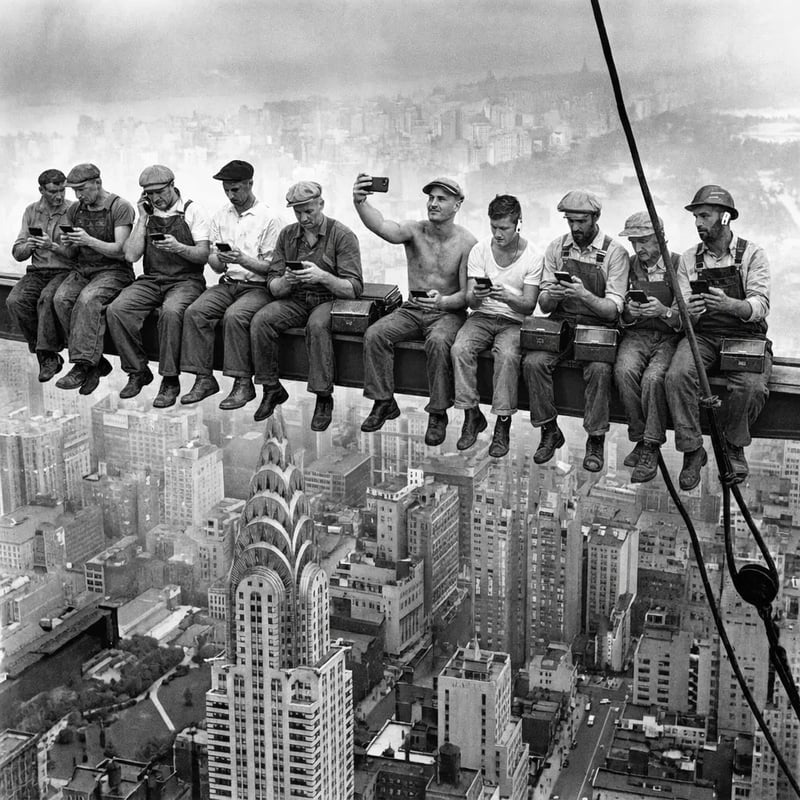
These examples use different kinds of direction: macro detail, a pose anchored to artwork, and a busy scene with one clear action.
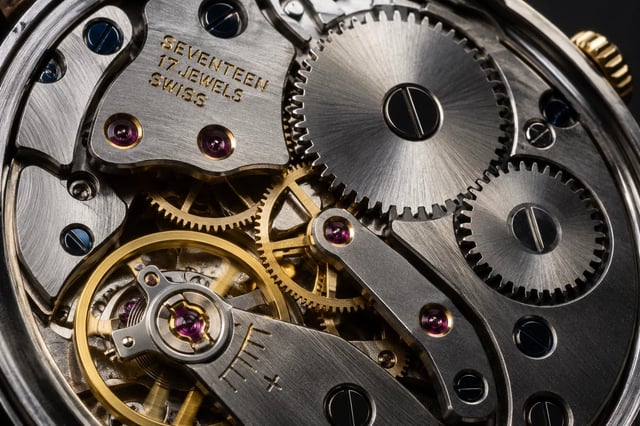
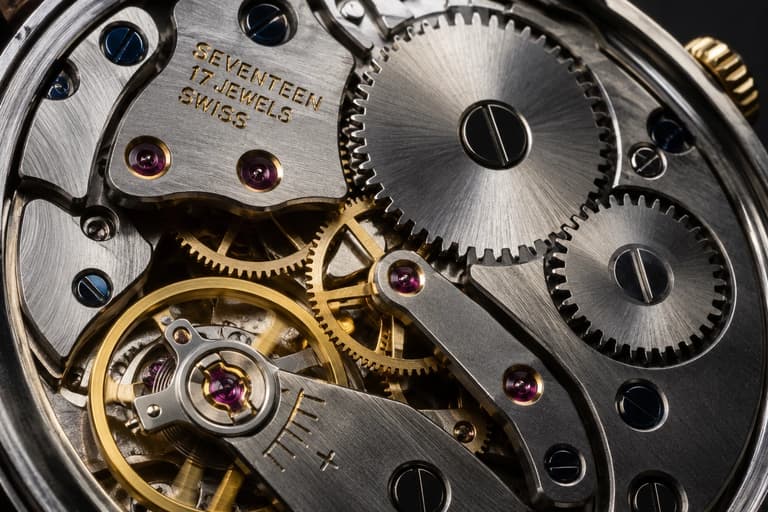
Example prompt output
Extreme macro photograph of an open mechanical wristwatch movement, intricate gears and jewels, brushed steel and gold plating, dramatic studio lighting, ultra-detailed
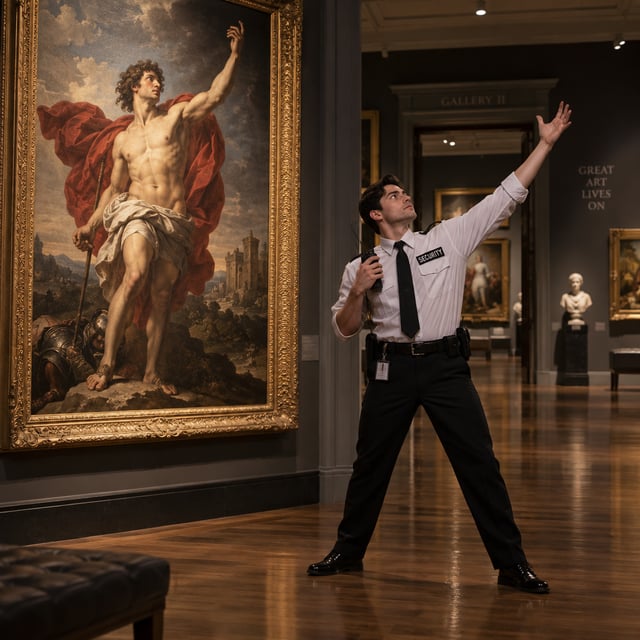
Example prompt output
A young male museum security guard standing beside a dramatic Renaissance painting after closing time, secretly copying the exact heroic pose of the figure inside the artwork, one arm raised dramatically while still holding his security radio, empty gallery around him, polished wooden floors and ornate frames, warm museum spotlights, humorous but sophisticated cinematic photography, strong visual symmetry, highly detailed.
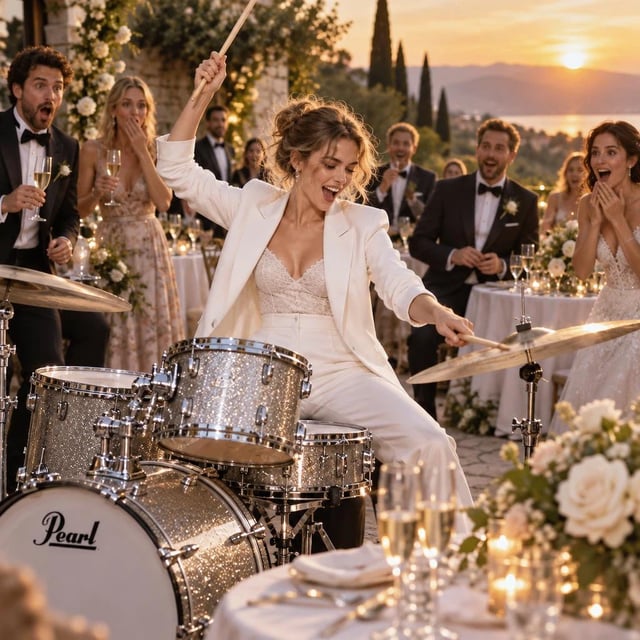
Example prompt output
A cool young European woman in a sharp white suit performing an energetic drum solo in the middle of an elegant outdoor wedding reception, captured with one drumstick raised above her head and the other striking a cymbal, surprised guests in formal clothing surrounding her, champagne glasses and flower arrangements vibrating on nearby tables, golden sunset light, cinematic celebration photography, rebellious joyful energy.
Use Sunburst when the next change matters, Flare for a first direction, or GPT Images 2 for the earlier model option.
| PrecisionGPT Images 2.5 SunburstRepeated-edit precisionGenerate with Sunburst | GPT Images 2.5 FlareEveryday GPT Images 2.5 modelOpen Flare | GPT Images 2Earlier GPT Images optionUse GPT Images 2 | |
|---|---|---|---|
| Choose it when | You have a subject to edit through several deliberate passes | You need a first still, social asset, or product concept | You specifically want the earlier GPT Images option |
| Editing fit | Editing precision is the priority; the generation step takes longer | Prompt-first exploration and focused edits | Prompt or photo editing with the previous model |
| Resolution options | 1K, 2K, or 4K | 1K, 2K, or 4K | 1K, 2K, or 4K |
| Generation trade-off | Longer generation step for the editing-oriented workflow | Everyday starting point for prompt-first work | Earlier model option |
| Released | September 2026 | September 2026 | April 2026 |
Start from a subject, make one change, inspect the result, and decide on the next pass.
Upload the source image, or use a still you already like. Choose a subject whose details matter across the next edits.
Say what should change—outfit, backdrop, crop, or atmosphere—and name the subject, placement, and details you want to remain recognizable.
A single change keeps the result easier to inspect. Generate, compare it with the brief, and write the next change only after you know what needs attention.
The generator starts at 1K. When the composition is ready for campaign or print use, make a separate 2K or 4K generation and review that output before saving it.
Choose it when the value is in carrying a considered subject through another round.
Upload a person or product, then develop wardrobe, backdrop, or mood variants while keeping the brief centered on the same subject.
Start from a pack shot and ask for a cleaner setting, lighting treatment, or label direction. Inspect edges and product details before treating the still as final.
Use a longer prompt when the image depends on a macro mechanism, a pose tied to artwork, or a busy scene with a defined action. Break the brief into observable details.
Find the composition on Flare, then switch to Sunburst when the next job is a focused edit on that subject.
It is the editing-oriented GPT Images 2.5 model for text-to-image generation and image-to-image work. Choose it when editing precision matters across a campaign still, product image, or other planned sequence of passes.
Use Sunburst when you already have a subject and expect several deliberate edits, and when tighter editing control is worth a longer generation step. Use Flare for a first direction, quick mock, or everyday image work.
Upload the source photo or use a still you already like. Identify the one change you want—such as wardrobe, backdrop, crop, or atmosphere—and name the details that should remain recognizable. Inspect the result before describing the next pass.
Use observable details for a macro mechanism, a pose anchored to artwork, or a busy scene with one clear action. The watch, pose, and reception examples on this page show three ways to structure a text-to-image brief.
Sunburst is positioned for tighter control across multi-round edits and for leaving more untouched areas alone. Review every output against the brief, especially when the subject or product is important to the final file.
Start with the default 1K while you refine the edit. Choose 2K or 4K when a larger campaign or print file is useful; that choice starts a separate generation, so review the new output before saving it.
Yes. Sign up before generating. New accounts receive starter credits, and the default 1K generation is available after signup.
The Generate button shows the current credit cost for the selected model and settings. The pricing section shows the available plans, so check both surfaces before submitting a run.
Review the available plans when a campaign needs more generations.
Enjoy Limited-Time 30% OFF!
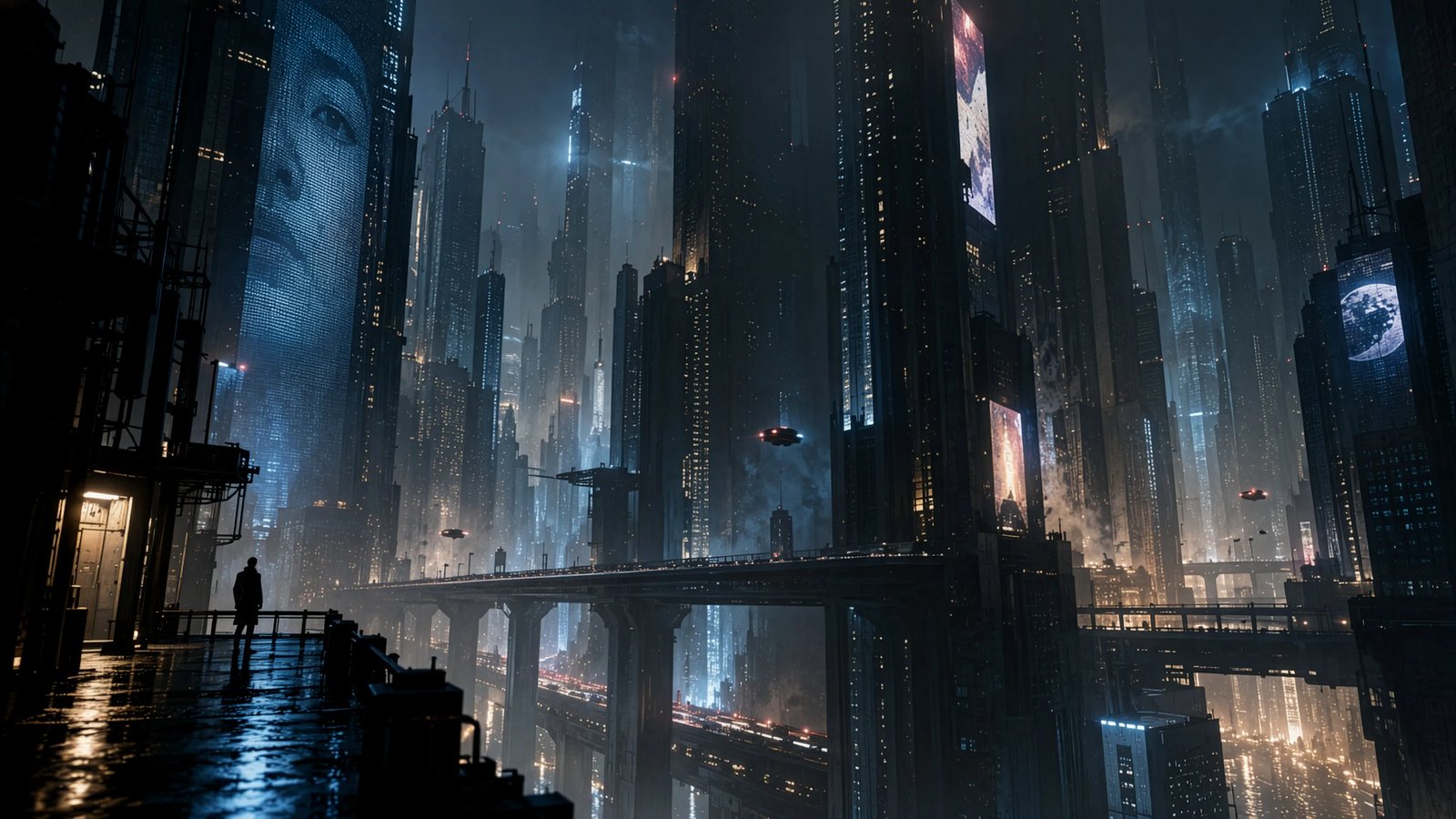
Upload a photo or start from a first still, describe the next change, and generate with Sunburst.